
How to Create a Professional Digital Business Card
In today’s digital world, professional networking is becoming smarter and more convenient. Traditional paper business cards are useful, but they can easily get lost, damaged, or outdated. Digital business cards offer a modern alternative by allowing professionals and businesses to share their contact information quickly and easily.
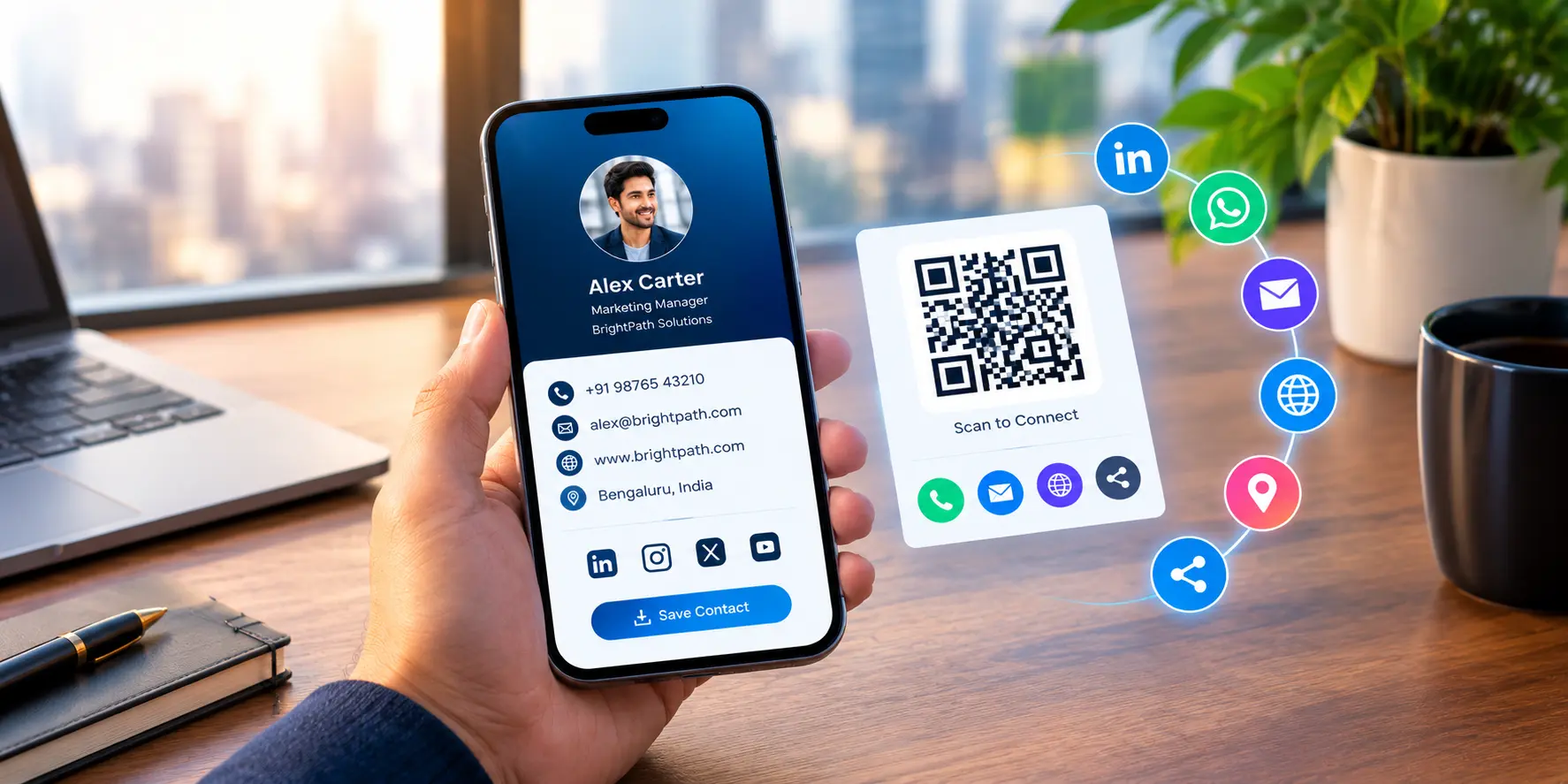
A digital business card can include your name, job title, company details, phone number, email address, website, social media profiles, and other important information. Whether you are an entrepreneur, freelancer, business owner, or working professional, creating a professional digital business card can help you build meaningful connections and strengthen your online presence.
What Is a Digital Business Card?
A digital business card is an electronic version of a traditional business card. It allows you to share your professional information through a link, QR code, email, messaging app, or compatible contact-sharing technology.
Unlike printed cards, digital business cards can be updated whenever your contact details or business information changes. They also provide more flexibility by allowing you to include clickable links, portfolio pages, appointment booking options, and other useful digital features.
Steps to Create a Professional Digital Business Card
1. Choose a Reliable Digital Business Card Platform
Start by selecting a platform that allows you to create, customize, and share your digital business card. Look for features such as customizable designs, QR code generation, clickable contact details, and easy information updates.
Choose a platform that matches your professional requirements and offers a user-friendly experience.
2. Add Your Professional Information
Your digital business card should contain accurate and relevant information. Include your full name, professional title, company name, phone number, business email address, and website.
You can also add your LinkedIn profile, portfolio, business location, or appointment booking link when relevant. Keep the information clear and organized so that people can quickly understand who you are and how to contact you.
3. Select a Clean and Professional Design
Design plays an important role in creating a positive first impression. Choose a layout that reflects your professional identity and makes your information easy to read.
Use consistent colors, readable fonts, and a balanced layout. Avoid overcrowding the card with unnecessary graphics or too much information. A simple, well-organized design often communicates professionalism more effectively.
4. Add Your Logo and Brand Identity
For business owners and companies, a digital business card is an opportunity to reinforce brand recognition. Include your company logo, brand colors, and a consistent visual style.
Make sure the design aligns with your website and other marketing materials. This creates a recognizable brand identity whenever you share your contact details with potential customers or business partners.
5. Include a QR Code or Shareable Link
Make your digital business card easy to access. A QR code allows people to scan and open your card using a compatible smartphone camera or QR code reader. Alternatively, you can share a direct link through email, WhatsApp, social media, or other communication channels.
Test your QR code and links before sharing them to ensure they work correctly on mobile devices.
6. Optimize Your Card for Mobile Devices
Many people will view your digital business card on a smartphone. Ensure that the layout adjusts to different screen sizes and that buttons, contact links, and other interactive elements are easy to use.
A mobile-friendly card provides a smoother experience and makes it easier for people to save your details or visit your website.
7. Test and Update Your Digital Business Card
Before sharing your card professionally, check every detail carefully. Verify your phone number, email address, website, social media links, and QR code.
Update the card whenever your job title, contact information, company details, or other professional information changes. Keeping your card current helps you maintain a reliable professional image.
Benefits of Using a Digital Business Card
Digital business cards offer several advantages for modern professionals and businesses.
- Easy sharing: Share your professional details through links, QR codes, email, and messaging apps.
- Convenient updates: Change your information without printing a new batch of cards.
- Better online visibility: Direct people to your website, portfolio, and professional social media profiles.
- Brand consistency: Use your logo, colors, and design to reinforce your professional identity.
- Reduced printing needs: Share contact details digitally instead of relying entirely on printed cards.
- Flexible networking: Connect with potential clients, colleagues, and business partners at events, meetings, and online.
Common Mistakes to Avoid
When creating a digital business card, avoid including too much information, using difficult-to-read fonts, or choosing a design that does not match your professional identity.
Do not forget to test your links and QR code. Avoid adding unnecessary personal information, and use a trustworthy platform with appropriate privacy and security features.
Most importantly, make sure your card has a clear purpose. Visitors should be able to identify you, understand what you do, and contact you without unnecessary steps.
Conclusion
Creating a professional digital business card is a practical way to improve networking and share your contact information in a modern format. By choosing the right platform, adding accurate details, using a clean design, and including convenient sharing options, you can create a card that reflects your professional identity.
Whether you are building a personal brand or promoting a business, a well-designed digital business card can help you make connections, improve accessibility, and maintain a professional online presence.
Start creating your digital business card today and make your next professional connection easier.
 Previous Post
 Next Post