
How Smart Website Navigation Turns Visitors Into Customers
Introduction
A business website is more than an online presence. It is a platform where potential customers discover services, explore products, find important information, and decide whether to take the next step. However, even a visually attractive website can lose visitors if they struggle to find what they need.
This is where smart website navigation makes a difference. A well-organised navigation system helps visitors move between pages easily, understand what a business offers, and reach important information without confusion. It creates a smoother browsing experience and helps guide potential customers towards meaningful actions.
For businesses that want to improve their online performance, website navigation should be an important part of their digital strategy. In this article, we explore how effective navigation works, why it matters, and how businesses can use it to turn more website visitors into customers.
1. What Is Smart Website Navigation?
Website navigation refers to the menus, links, buttons, and page structures that help visitors move around a website. It provides a clear path to important sections, such as services, products, company information, contact details, and frequently asked questions.
Smart website navigation goes beyond simply adding links to a menu. It organises information according to visitors’ needs and makes important actions easy to find.
For example, a service-based company might organise its main menu into Home, Services, About Us, Portfolio, and Contact. Visitors can quickly understand where to look instead of searching through multiple unrelated pages.
An effective navigation system should be clear, consistent, intuitive, and easy to use across desktop computers, tablets, and smartphones.
2. Why Website Navigation Matters for Customer Experience
Visitors usually arrive at a website with a specific goal. They may want to compare services, learn about pricing, view previous work, or contact a business.
If the website makes these tasks difficult, visitors may become frustrated and leave before discovering the value of the business.
Good navigation improves the customer experience in several ways:
Reduces confusion: Clear menu labels help visitors understand where each link leads.
Saves time: Important information is easier to locate.
Improves accessibility: A well-structured website helps different users navigate its content.
Encourages exploration: Visitors can discover relevant services and supporting information.
Builds confidence: A consistent, organised layout creates a more professional impression.
When visitors can move through a website comfortably, they can focus on evaluating the business rather than figuring out how the website works.
3. How Smart Navigation Helps Turn Visitors Into Customers
Website navigation can influence the path a visitor takes from discovering a business to contacting it or making a purchase.
Consider a person visiting a digital marketing company’s website. The visitor wants to understand the services offered and determine whether the company can meet their needs.
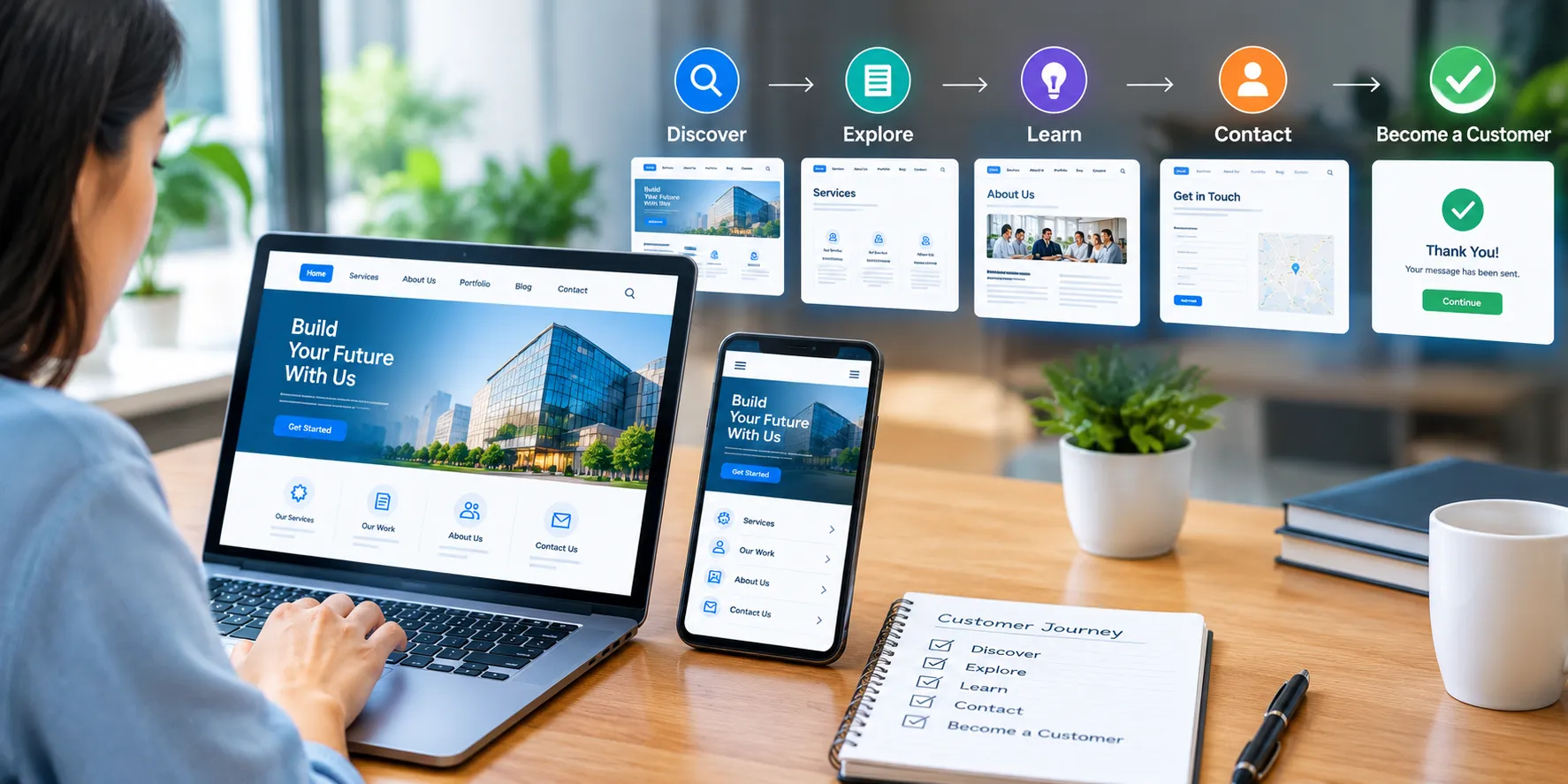
With clear navigation, the visitor can move from the homepage to the services page, explore relevant examples, learn about the company’s approach, and reach the enquiry form.
Each step provides useful information and makes the next action easier to understand.
Businesses can support this journey by:
Placing important pages in the main navigation menu.
Linking service descriptions to relevant enquiry or booking pages.
Providing clear calls to action, such as “Request a Quote” or “Contact Us.”
Making product categories easy to browse.
Ensuring visitors can return to the homepage or previous sections easily.
The goal is not to pressure visitors into making a decision. It is to remove unnecessary obstacles so they can make informed choices and take the next step when they are ready.
4. Keep Your Website Menu Simple and Clear
A complicated menu can overwhelm visitors, especially when it contains too many options or unclear labels.
Businesses should organise navigation around the information customers are most likely to need. Main menu items should be concise, meaningful, and easy to understand.
For example, labels such as “Services,” “Our Work,” “About Us,” and “Contact” are generally more immediately understandable than vague or creative labels that do not clearly explain their purpose.
To improve menu clarity:
Limit the number of top-level menu items to the most important sections.
Group related pages under meaningful categories.
Use familiar language instead of unnecessary technical terms.
Avoid duplicate links that lead to similar information.
Place essential actions, such as contacting the business, where visitors can easily find them.
A simple menu helps visitors understand the website’s structure and reduces the effort required to find relevant information.
5. Design Navigation for Mobile Users
Many people browse websites using smartphones. A navigation system that works well on a desktop computer may become difficult to use on a smaller screen if it is not designed responsively.
Mobile navigation should provide comfortable access to important pages without making the screen feel crowded.
Businesses can improve mobile navigation by using a clearly identifiable menu button, readable text, suitable spacing between interactive elements, and a layout that adapts to different screen sizes.
It is also important to test menus, dropdowns, buttons, and links on actual mobile devices or reliable device emulators.
A mobile-friendly navigation system helps customers explore services, compare products, and contact a business while browsing on the go.
6. Use Calls to Action Strategically
A call to action (CTA) tells visitors what they can do next. Examples include “Get a Free Quote,” “Explore Our Services,” “Book an Appointment,” and “Contact Our Team.”
When placed thoughtfully, CTAs connect website navigation with business goals. They help visitors move from gathering information to taking a useful next step.
For effective CTAs:
Use clear, action-oriented wording.
Match each CTA to the content on its page.
Make important buttons visually distinguishable.
Avoid displaying too many competing actions at once.
Ensure each button leads to the correct destination.
For example, a visitor reading about website development services might benefit from a clearly visible “Request a Consultation” button. This gives interested visitors a direct way to continue the conversation.
7. Create a Logical Website Structure
Navigation becomes more effective when the website’s pages follow a logical hierarchy.
The homepage should introduce the business and direct visitors towards important sections. Category pages can group related services or products, while individual pages provide detailed information.
A clear structure also helps businesses maintain consistency as their websites grow.
Consider the following example:
Home: An overview of the business and its main offerings.
Services: A summary of the services available.
Individual service pages: Detailed explanations of specific services.
About Us: Information about the business, its experience, and its approach.
Contact: Enquiry forms, contact information, and relevant business details.
Internal links should connect related pages wherever doing so helps visitors. Breadcrumbs can also help users understand where they are within larger websites.
A logical structure makes information easier to discover and supports a more organised browsing experience.
8. Improve Navigation Using Website Analytics
Businesses should not assume that their navigation is effective simply because it looks attractive. Website analytics can help reveal how visitors actually use the site.
Useful indicators include frequently visited pages, navigation paths, internal search terms, form completion rates, and pages where visitors commonly leave.
For example, if many visitors view a service page but rarely proceed to the contact page, the business could examine whether the next step is clearly presented. If users repeatedly search for information already available on the website, the menu structure or page labels may need improvement.
Businesses can use tools such as Google Analytics and Google Search Console alongside usability testing and direct customer feedback.
Changes should be based on evidence rather than assumptions. Testing one improvement at a time can help businesses understand which changes provide the most value.
9. Common Website Navigation Mistakes to Avoid
Even small navigation problems can make a website harder to use. Businesses should watch for these common issues:
Unclear menu labels: Visitors may not understand where a link will take them.
Too many menu options: An overloaded menu makes important pages harder to identify.
Broken links: Visitors may reach missing pages instead of the information they need.
Inconsistent navigation: Menus that change unexpectedly between pages can create confusion.
Poor mobile usability: Small controls or difficult dropdown menus can frustrate smartphone users.
Hidden contact information: Potential customers should not have to search extensively to find ways to reach the business.
Missing page hierarchy: Visitors may struggle to understand how different pages relate to one another.
Regular website reviews help businesses identify these problems and keep navigation useful as services, content, and customer needs change.
10. Best Practices for Building Customer-Friendly Navigation
To create a website that guides visitors effectively, businesses should follow a consistent set of principles:
Understand the main tasks visitors want to complete.
Organise pages around customer needs rather than internal company departments.
Keep navigation labels simple and descriptive.
Make important information accessible from relevant pages.
Ensure the navigation works on desktop and mobile devices.
Use clear calls to action that match each page’s purpose.
Test navigation with real users whenever possible.
Review analytics and customer feedback regularly.
Fix broken links and outdated destinations.
Continue improving the website as customer expectations evolve.
These practices help create a more intuitive website and give visitors a clearer path towards the information or services they need.
Conclusion
Smart website navigation is an important part of creating a successful business website. It helps visitors find information, understand available services, explore relevant pages, and take meaningful actions with less confusion.
By simplifying menus, improving mobile usability, organising content logically, and using clear calls to action, businesses can create a smoother customer journey. Analytics and user feedback can then reveal where further improvements are needed.
Although navigation alone cannot guarantee more sales or enquiries, it can remove barriers that prevent visitors from engaging with a business. Combined with useful content, reliable performance, and a clear value proposition, effective navigation can contribute to stronger customer engagement and better business outcomes.
Call to Action
At Digital Murugan, we understand that a well-designed website should do more than look professional. It should help visitors discover your services, navigate your content, and connect with your business easily.
If you want to improve your website’s structure, usability, and overall digital experience, explore Digital Murugan’s website solutions and discover how a thoughtfully designed online presence can support your business goals.
 Next Post