
AI Automation: 10 Business Processes You Can Automate
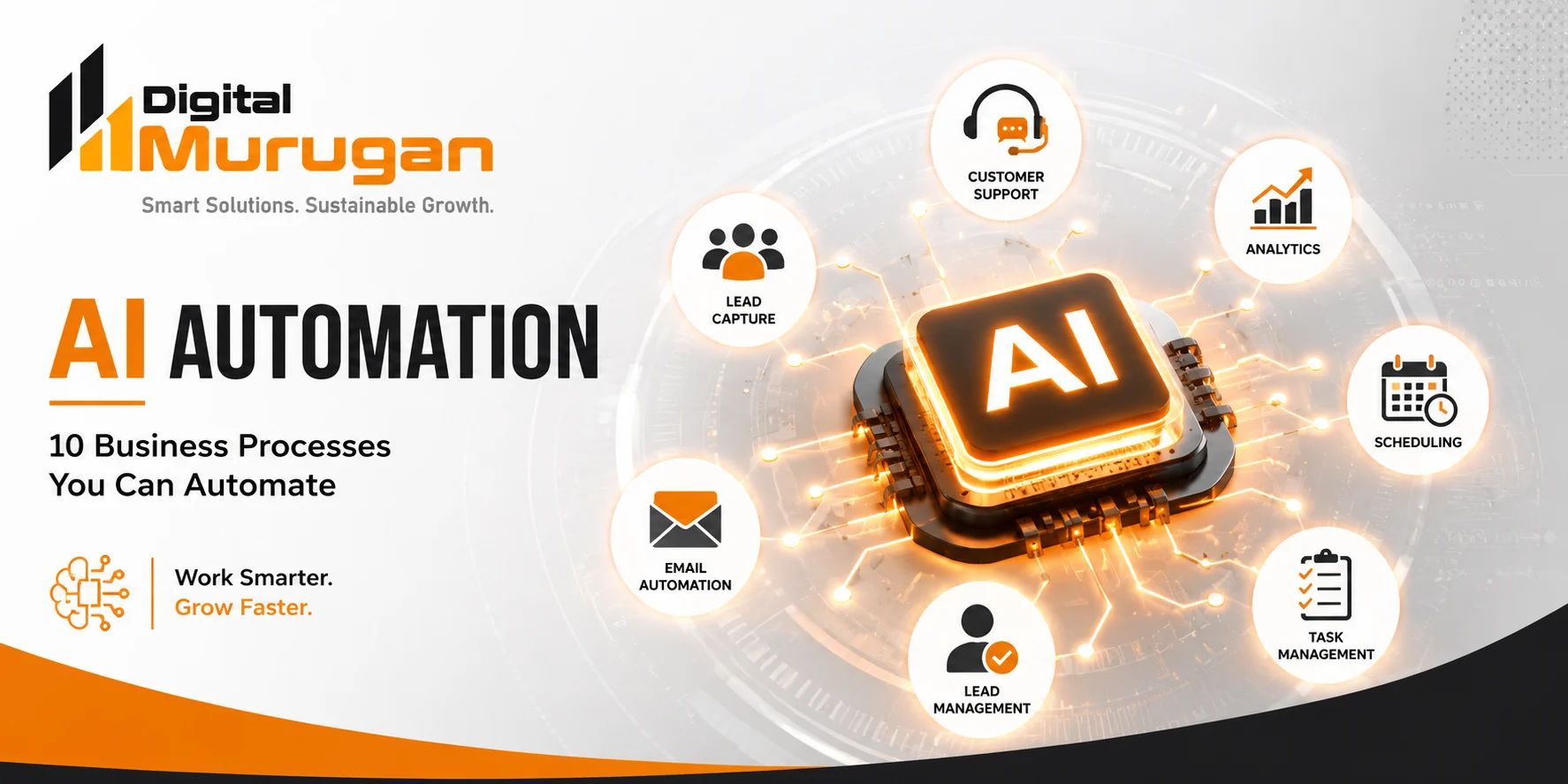
Artificial intelligence is changing the way businesses work. Tasks that once required hours of manual effort can now be streamlined with AI-powered automation, helping teams save time, respond faster, and focus on more valuable work.
From handling customer enquiries to managing leads, scheduling appointments, generating reports, and following up with prospects, AI automation can become part of many everyday business operations.
But where should a business start?
In this guide, we explore 10 business processes you can automate with AI and explain how automation can improve efficiency without removing the human side of your business.
What Is AI Automation?
AI automation combines artificial intelligence with automated workflows to perform tasks that traditionally require human involvement.
Traditional automation generally follows predefined rules. AI automation can go further by using technologies such as natural language processing, machine learning, data analysis, and AI assistants to handle tasks that involve understanding information and making context-based decisions.
For example, a traditional workflow might send the same confirmation message to every customer.
An AI-powered workflow could understand a customer’s enquiry, identify what they need, provide an appropriate response, and route the conversation to the right person when human assistance is required.
The goal isn’t to automate everything.
The goal is to automate the right things.
1. Customer Enquiries and Support
Businesses receive customer questions through websites, messaging platforms, email, and other channels every day.
Many of these enquiries are repetitive.
Examples include:
- Product or service information
- Business hours
- Pricing-related questions
- Availability enquiries
- Order or booking information
- Frequently asked questions
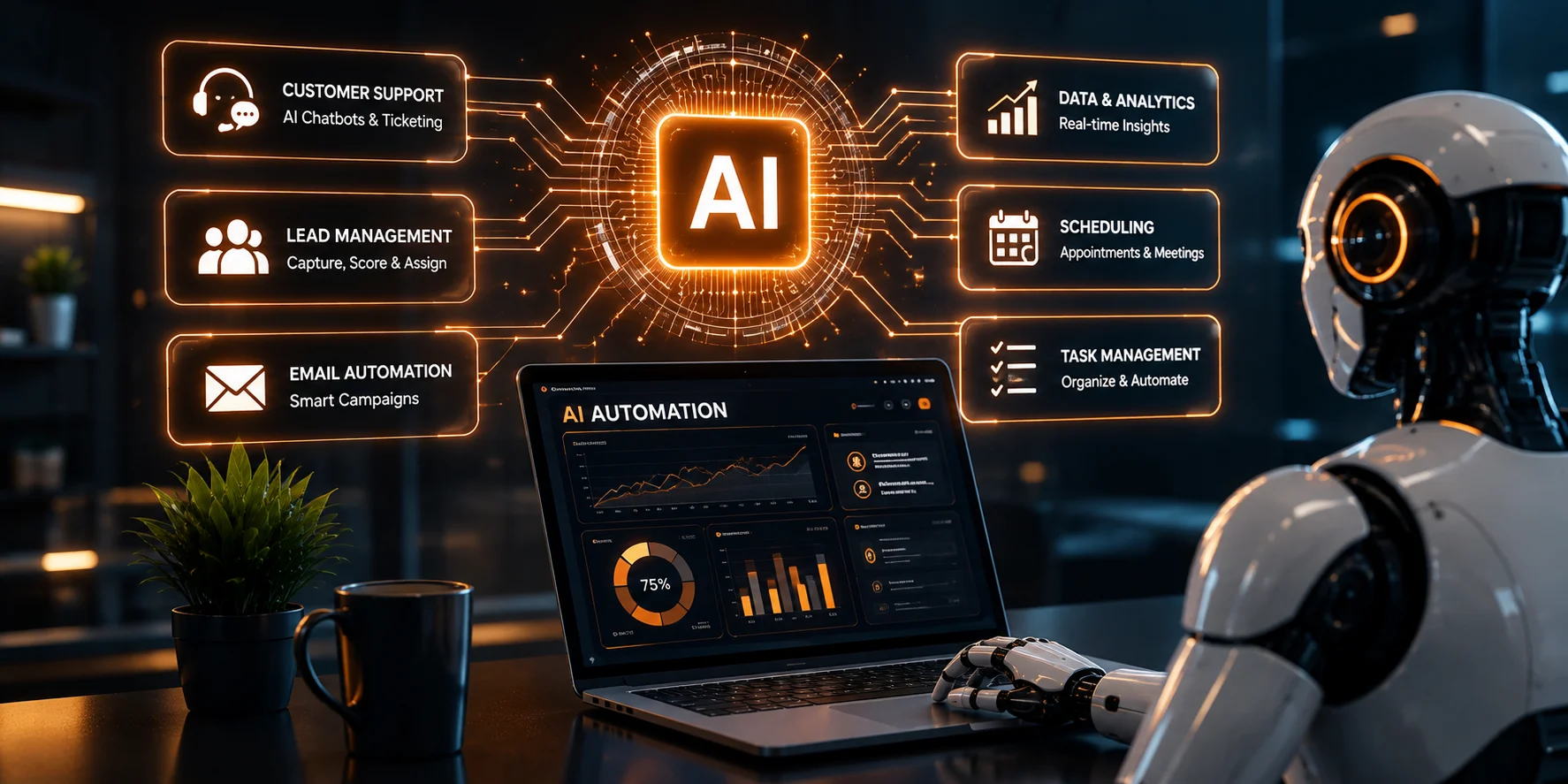
AI-powered assistants can handle common questions instantly and provide customers with relevant information.
More complex conversations can then be transferred to a human team member.
Why automate customer enquiries?
AI automation can help businesses:
- Respond faster
- Provide support outside normal working hours
- Reduce repetitive work
- Improve response consistency
- Route enquiries to the appropriate team
Human support remains important, but AI can take care of many routine interactions before they reach your team.
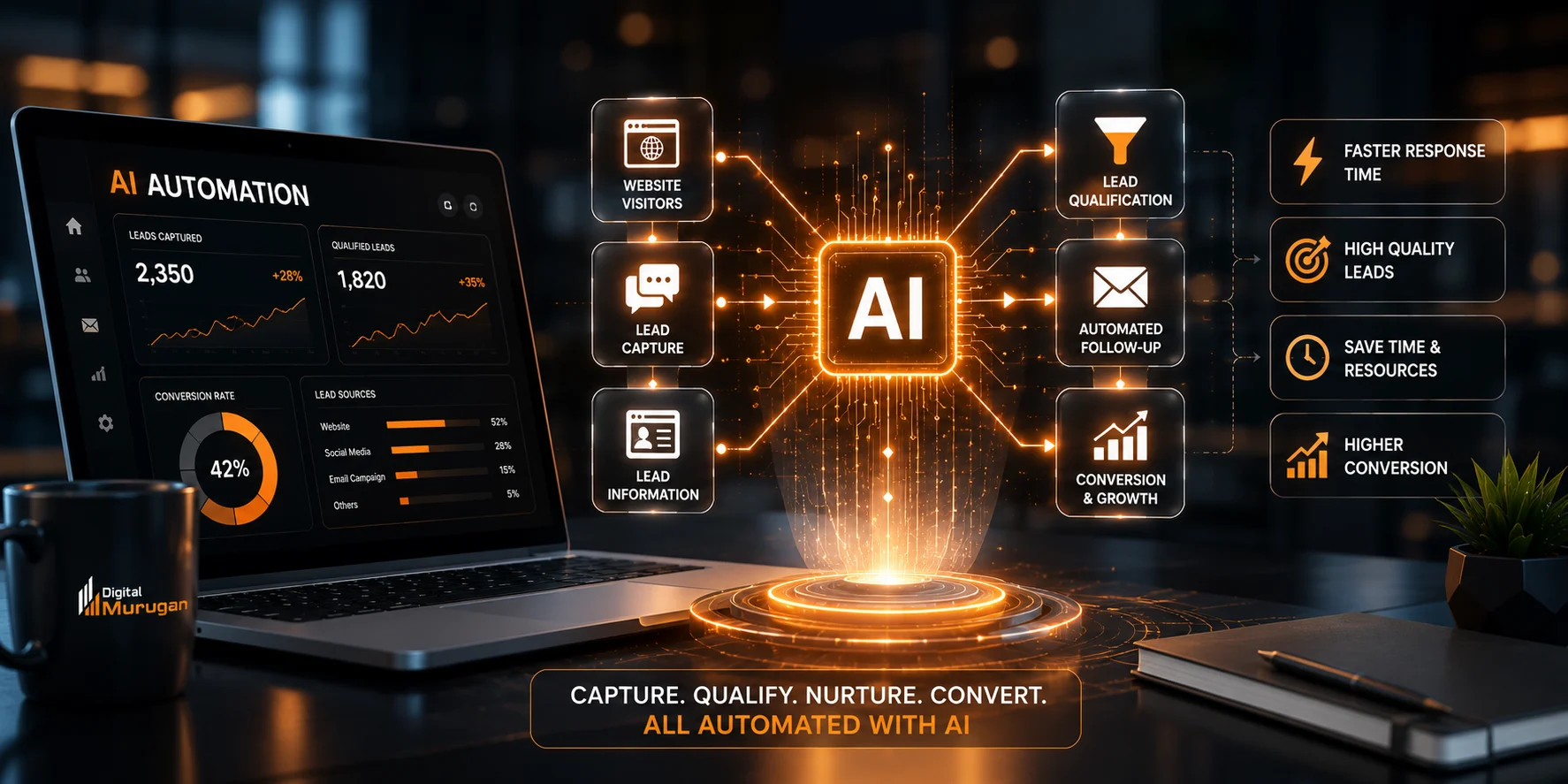
2. Lead Capture
A potential customer can visit your website at any time.
If your business doesn’t have a structured way to capture that visitor’s information, a valuable opportunity may be lost.
AI automation can help collect information such as:
- Name
- Contact details
- Business requirements
- Product or service interest
- Preferred communication method
Instead of relying entirely on someone to manually record every enquiry, an automated workflow can collect the information and send it directly to your chosen system.
This creates a smoother path from website visitor to potential customer.
3. Lead Qualification
Not every enquiry has the same level of potential.
Some visitors are simply researching. Others may be ready to make a purchase.
AI automation can help businesses organize and qualify leads based on factors such as:
- Customer requirements
- Budget range
- Service interest
- Location
- Business type
- Urgency
- Previous interactions
For example, an automated system could categorize incoming enquiries as:
High priority → Follow up quickly
Medium priority → Continue nurturing
Low priority → Provide useful information and monitor engagement
This allows sales teams to spend more time on conversations that deserve immediate attention.
4. WhatsApp and Follow-Up Messages
Following up with potential customers is one of the most important parts of the sales process.
It is also one of the easiest tasks to forget.
AI-powered workflows can help businesses automate appropriate follow-ups after events such as:
- A website enquiry
- A product enquiry
- A quotation request
- An appointment
- A customer interaction
For example, a business could create a workflow where a prospect receives an initial response after submitting an enquiry, followed by another helpful message later if there has been no response.
The important principle is to make automation useful rather than intrusive.
Automated messages should provide value and give customers a clear way to contact a real person when necessary.
5. Appointment Scheduling
Scheduling appointments often involves unnecessary back-and-forth communication.
A customer asks about availability.
Someone checks the calendar.
The customer chooses a time.
The appointment is confirmed.
AI automation can simplify much of this process.
An automated scheduling system can:
- Understand the customer’s request
- Check available time slots
- Offer suitable options
- Confirm the appointment
- Send reminders
- Update the relevant calendar or system
This can be useful for consultants, agencies, clinics, service providers, educational businesses, and many other organizations.
6. Email Communication
Email remains an important business communication channel, but managing large volumes of messages can consume significant time.
AI automation can assist with tasks such as:
- Categorizing incoming emails
- Identifying important enquiries
- Drafting responses
- Sending confirmations
- Following up on requests
- Routing emails to the correct department
- Summarizing long conversations
Instead of manually processing every message from beginning to end, businesses can automate the repetitive parts while keeping humans involved in important decisions.
7. Social Media Content Workflows
Maintaining a consistent social media presence requires planning, content creation, scheduling, publishing, and monitoring.
AI can assist with several stages of this workflow.
For example:
Idea → AI-assisted draft → Human review → Approval → Scheduling → Publishing → Performance analysis
AI can help generate content ideas, organize content calendars, create initial drafts, repurpose existing content, and summarize performance data.
However, human review is still important.
A brand’s voice, accuracy, messaging, and creative direction should remain under human control.
AI should support your brand—not replace its identity.
8. Customer Feedback and Reviews
Customer feedback can provide valuable information about what a business is doing well and where it can improve.
The challenge is collecting and organizing that feedback consistently.
AI automation can help businesses:
- Send feedback requests
- Categorize responses
- Identify common themes
- Detect recurring complaints
- Summarize customer opinions
- Send important issues to the appropriate team
For example, instead of manually reading hundreds of feedback responses, AI can organize them into themes such as:
Product quality
Customer service
Delivery
Pricing
User experience
This gives businesses a clearer picture of customer sentiment.
9. Data Entry and Reporting
Data entry is one of the most repetitive activities in many businesses.
Information may need to be transferred between forms, spreadsheets, CRM systems, emails, and internal databases.
AI-powered workflows can reduce manual work by extracting and organizing information automatically.
Automation can also help generate recurring reports from business data.
For example:
Data collection → Processing → Analysis → Report generation → Team notification
This can help teams spend less time compiling information and more time understanding what the information means.
10. Internal Business Workflows
AI automation isn’t only useful for customer-facing activities.
Businesses can also automate internal processes.
Examples include:
- Employee notifications
- Task assignments
- Document processing
- Meeting summaries
- Internal reminders
- Approval workflows
- Project updates
- Report distribution
- Knowledge management
Imagine a meeting ending and an AI system automatically producing a summary, identifying action items, assigning tasks, and notifying the relevant team members.
That is where AI automation can move beyond simple task automation and become part of a broader business workflow.
Benefits of AI Automation
When implemented properly, AI automation can provide several benefits.
Save Time
Automating repetitive processes gives employees more time for activities that require creativity, strategy, communication, and decision-making.
Improve Response Speed
Automated systems can respond to many customer interactions immediately instead of waiting for someone to become available.
Reduce Repetitive Work
Employees don’t need to repeatedly perform the same routine tasks when a reliable automated workflow can handle them.
Improve Consistency
Automation can help businesses follow standardized processes across different customers and departments.
Scale Operations
As the number of customers, enquiries, and transactions grows, automation can help businesses handle higher volumes without increasing every manual task proportionally.
Make Better Use of Data
AI can help organize, summarize, and analyze large amounts of business information, making it easier to identify patterns and opportunities.
AI Automation Doesn’t Mean Removing Humans
One of the biggest misconceptions about AI automation is that businesses need to automate everything.
That’s not the goal.
Some tasks are better handled by people.
Complex customer situations, strategic decisions, creative direction, sensitive conversations, and important business decisions often require human judgment.
A better approach is:
AI handles repetitive work.
People handle important decisions.
This combination can create a more efficient and responsive business.
How to Identify What Your Business Should Automate
Before implementing AI automation, look at your existing workflows.
Ask these questions:
1. Is the task repetitive?
If your team performs the same activity repeatedly, it may be a good automation candidate.
2. Does it follow a predictable process?
Processes with clear steps are often easier to automate.
3. Does it consume significant employee time?
Prioritize workflows that take up substantial amounts of your team’s working hours.
4. Does the task involve large amounts of information?
AI can be particularly useful for organizing and summarizing information.
5. Does faster response create business value?
If responding faster can improve customer experience or lead conversion, automation may be worthwhile.
6. Does the process still require human judgment?
If it does, consider a human-in-the-loop workflow rather than fully automated decision-making.
Common AI Automation Mistakes to Avoid
AI automation can deliver significant benefits, but poor implementation can create new problems.
Automating a Broken Process
Don’t automate a process simply because it already exists.
First improve the process, then automate it.
Trying to Automate Everything
Not every task needs AI.
Start with processes where automation provides a clear benefit.
Ignoring Human Oversight
Important decisions should have appropriate human review.
Poor Data Quality
AI systems are only as reliable as the information and instructions they receive.
Forgetting the Customer Experience
Automation should make interactions easier, not make customers feel like they are trapped inside a system.
Focusing Only on Technology
Successful automation isn’t just about choosing an AI tool.
It requires understanding the business process, customer journey, data, integrations, and desired outcome.
How Digital Murugan Can Help With AI Automation
AI automation becomes much more valuable when it is designed around the specific needs of a business.
At Digital Murugan, AI and digital solutions can be used to help businesses streamline workflows, improve customer interactions, strengthen their digital presence, and build more efficient processes.
From websites and digital marketing to AI-powered solutions and automation, the right technology can connect different parts of your business into a more efficient digital ecosystem.
Instead of asking:
“Where can we use AI?”
A better question is:
“Which parts of our business can become better with AI?”
That shift in thinking can lead to much more practical automation strategies.
The Future of Business Is Smarter Automation
AI automation is no longer limited to large technology companies.
Businesses across different industries can use AI to simplify repetitive processes, improve customer experiences, organize information, and make better use of their team’s time.
The key isn’t to automate for the sake of automation.
The key is to identify the right processes, choose the right technology, and design workflows that combine AI efficiency with human judgment.
Start with one process.
Measure the results.
Improve the workflow.
Then expand.
That’s how AI automation can become a practical part of business growth.
Frequently Asked Questions
What is AI automation?
AI automation uses artificial intelligence together with automated workflows to perform tasks that traditionally require manual effort. It can help businesses process information, communicate with customers, organize data, and automate repetitive workflows.
What business processes can be automated with AI?
Common examples include customer enquiries, lead capture, lead qualification, follow-ups, appointment scheduling, email workflows, content workflows, customer feedback analysis, reporting, and internal business processes.
Is AI automation suitable for every business?
Most businesses can identify at least some repetitive processes that may benefit from automation. However, the right approach depends on the organization’s workflows, goals, data, technology, and customer requirements.
Does AI automation replace employees?
Not necessarily. AI automation is often most effective when it handles repetitive work while employees focus on tasks that require creativity, judgment, strategy, and human interaction.
How should a business start with AI automation?
Start by identifying repetitive, time-consuming processes where faster execution or improved consistency would provide measurable value. Then evaluate the appropriate tools, integrations, and level of human oversight.
Why is human oversight important in AI automation?
Human oversight helps businesses manage complex situations, verify important outputs, maintain quality, and ensure that automated systems operate according to business goals and customer expectations.
Final Thoughts
AI automation can transform the way businesses operate—but successful automation starts with a clear understanding of the business itself.
The best automation isn’t necessarily the most complicated.
It’s the automation that solves a real problem.
Whether you’re looking to automate customer communication, lead management, reporting, scheduling, internal workflows, or other repetitive processes, the right AI strategy can help your business work smarter, faster, and more efficiently.
The future isn’t about replacing people with AI. It’s about giving people better tools to do better work.
 Previous Post
 Next Post